Draw on your screen.
Design on your canvas.
Let AI |
Lumary Canvas is a native app for Mac and iPad. On Mac, draw over any app, capture and annotate screenshots, and let AI agents build diagrams and designs. On iPad, write with Apple Pencil on the same boards and designs, in sync with your Mac.
Free for 14 days on each, then one purchase for Mac and iPad. No subscription.
See it in action
Two short tours, one for each app.
One app, on Mac and iPad
Try each free for 14 days, and one purchase then covers both. They share your boards and designs, and each is built for how you work on that device.
On Mac
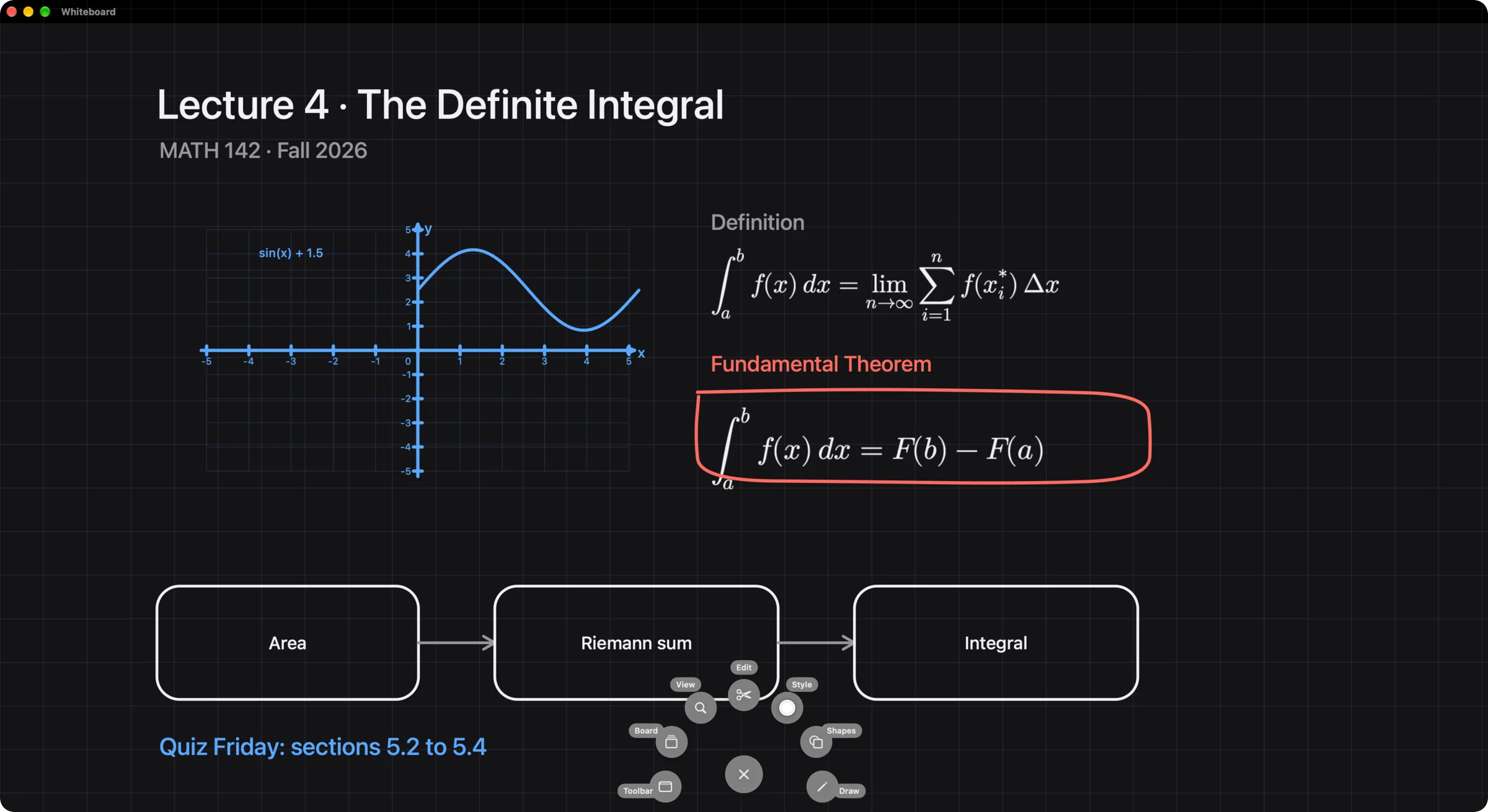
- Draw over any app from the menu bar, on a transparent overlay on every display
- Capture screenshots with hotkeys you choose, then annotate them in their own editor
- Open whiteboards and designs in their own windows, fullscreen or windowed
- Let AI agents draw and build through a local MCP server
- Cursor highlight, spotlight, and keystroke display for live demos
- Requires macOS 15 or later
On iPad
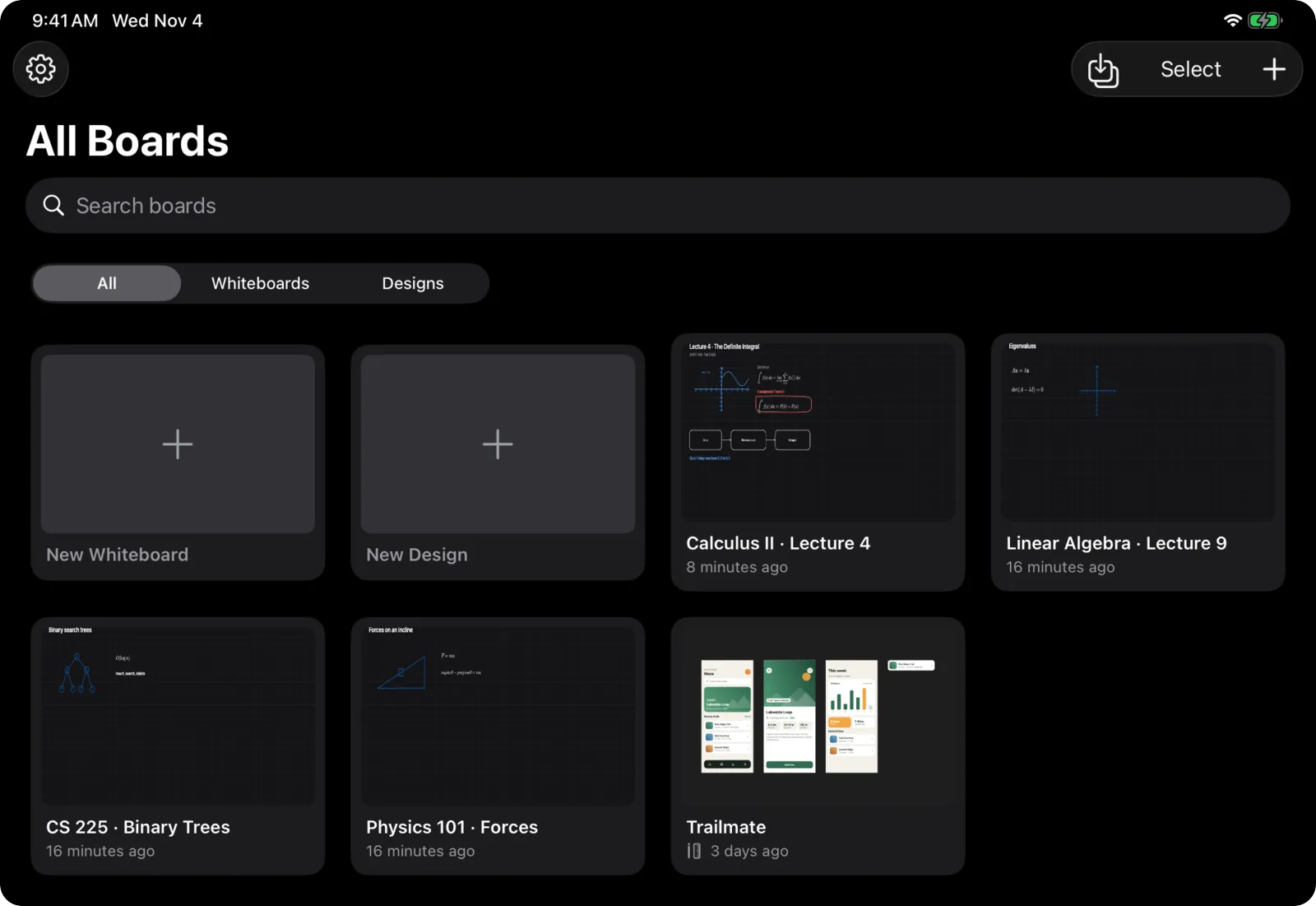
- Write and sketch with Apple Pencil or your finger
- Every tool lives behind one small bubble you can drag anywhere
- Hold a tool to open its settings, and each tool remembers its own thickness and stroke
- Design with touch: a floating tool bar, Layers, and an inspector you show or hide
- Present full screen and glide between scenes
- Requires iPadOS 18 or later
Everything you need to annotate, whiteboard, design, and present
Draw on Screen
Mac12 tools and 135 shapes on a transparent overlay, right on top of whatever you are looking at.
Screenshots
MacCapture any region, window, or screen. Cards land in a quick-access tray, ready to annotate in a dedicated editor.
Whiteboards
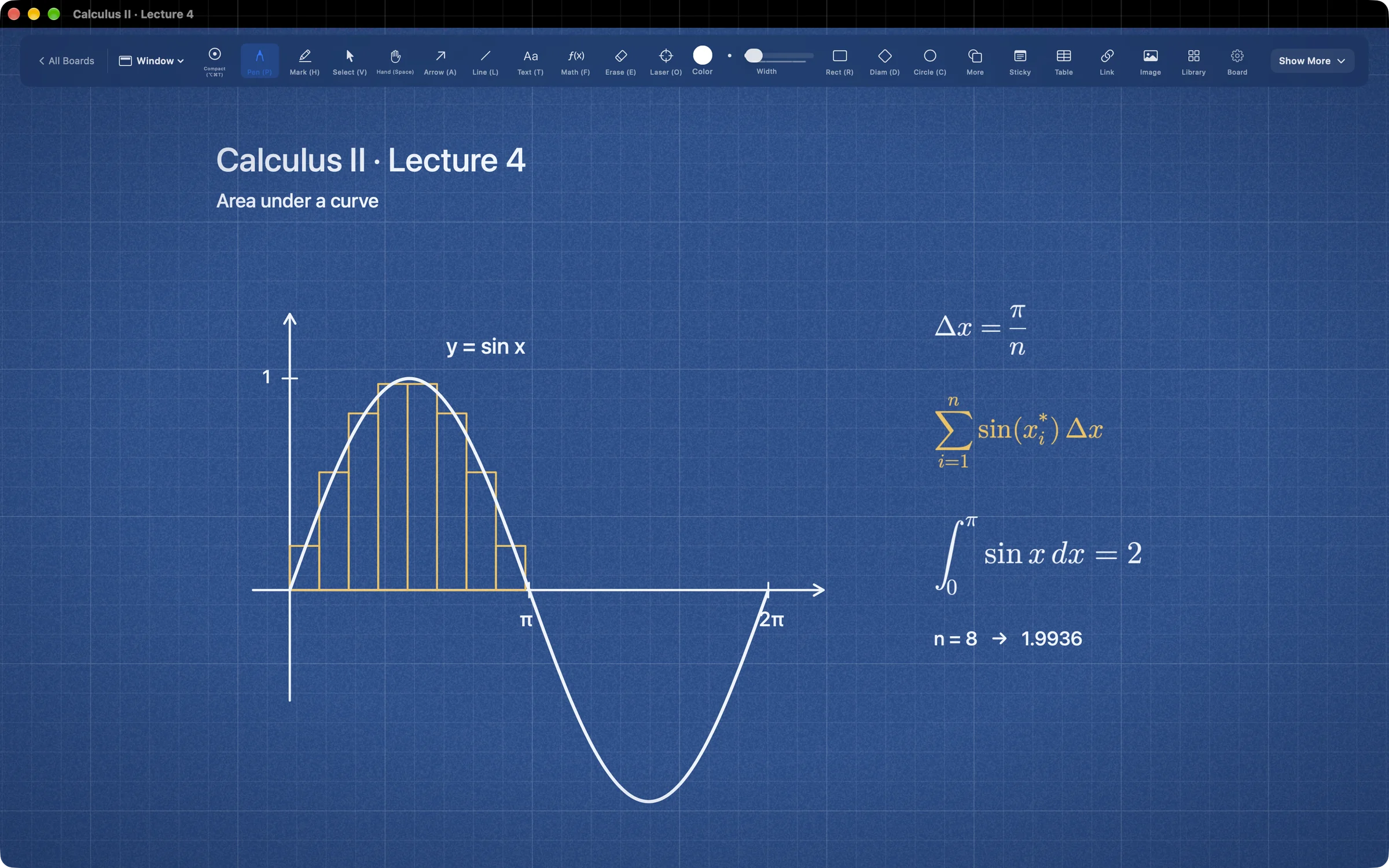
Mac and iPadAn infinite canvas with Blueprint and Whiteprint papers, a gallery, layout tools, and a history you can restore from.
Designs
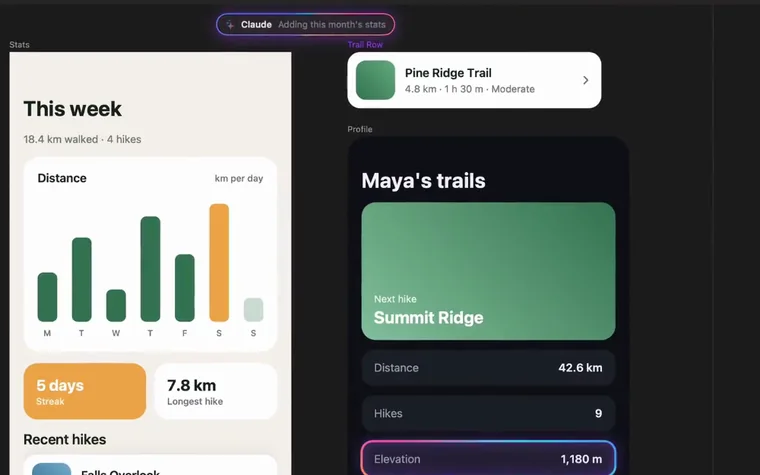
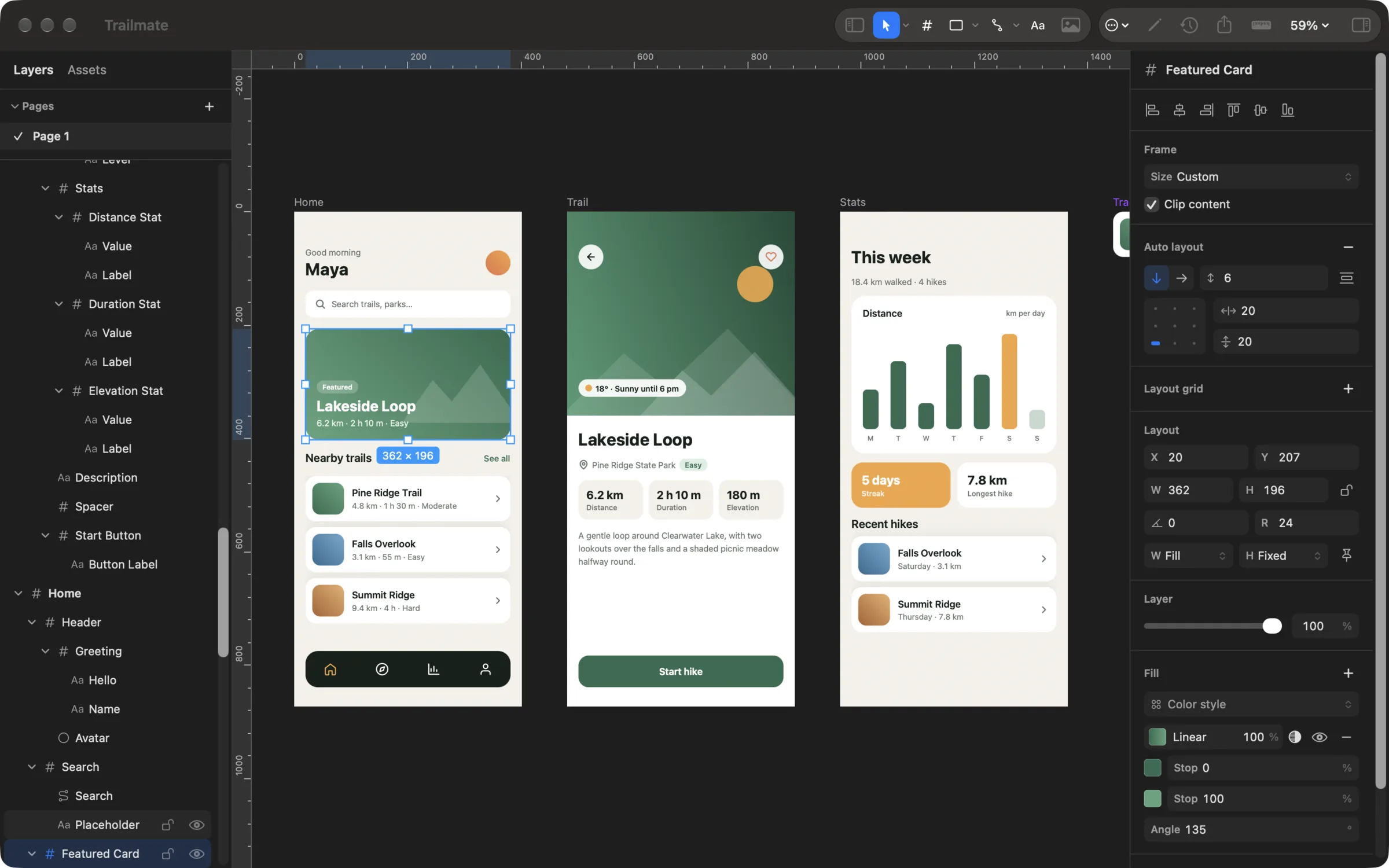
Mac and iPadPages of frames and layers for app screens, websites, and graphics, with auto layout, components, and styles.
AI Agents
MacA local MCP server lets Claude, Codex, and other clients draw diagrams, build designs, and run presentations.
Present
Mac and iPadTurn a board into scenes and glide between them. On Mac, add cursor highlight, spotlight, and keystroke display.
Mac and iPad
Design Screens and Graphics
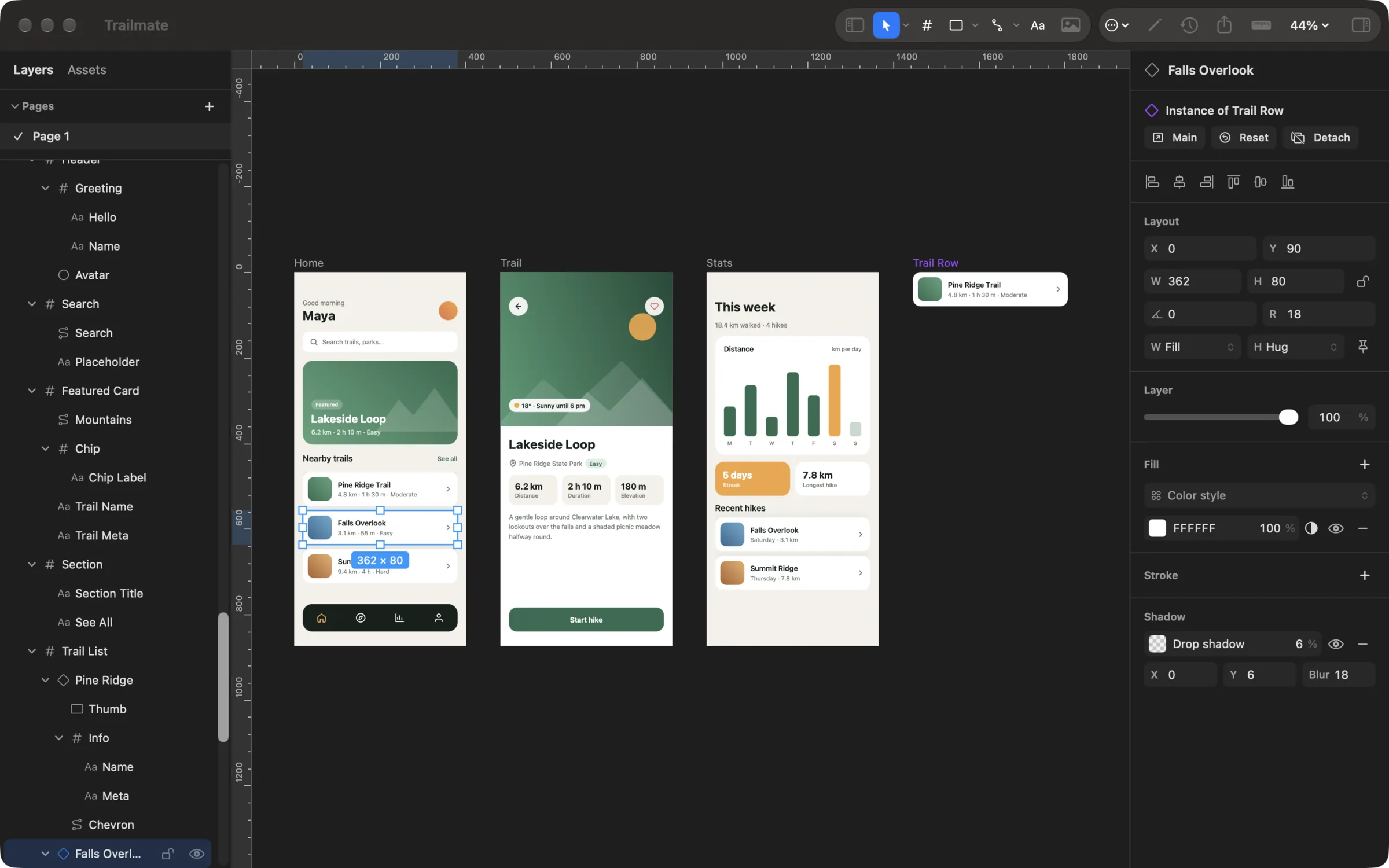
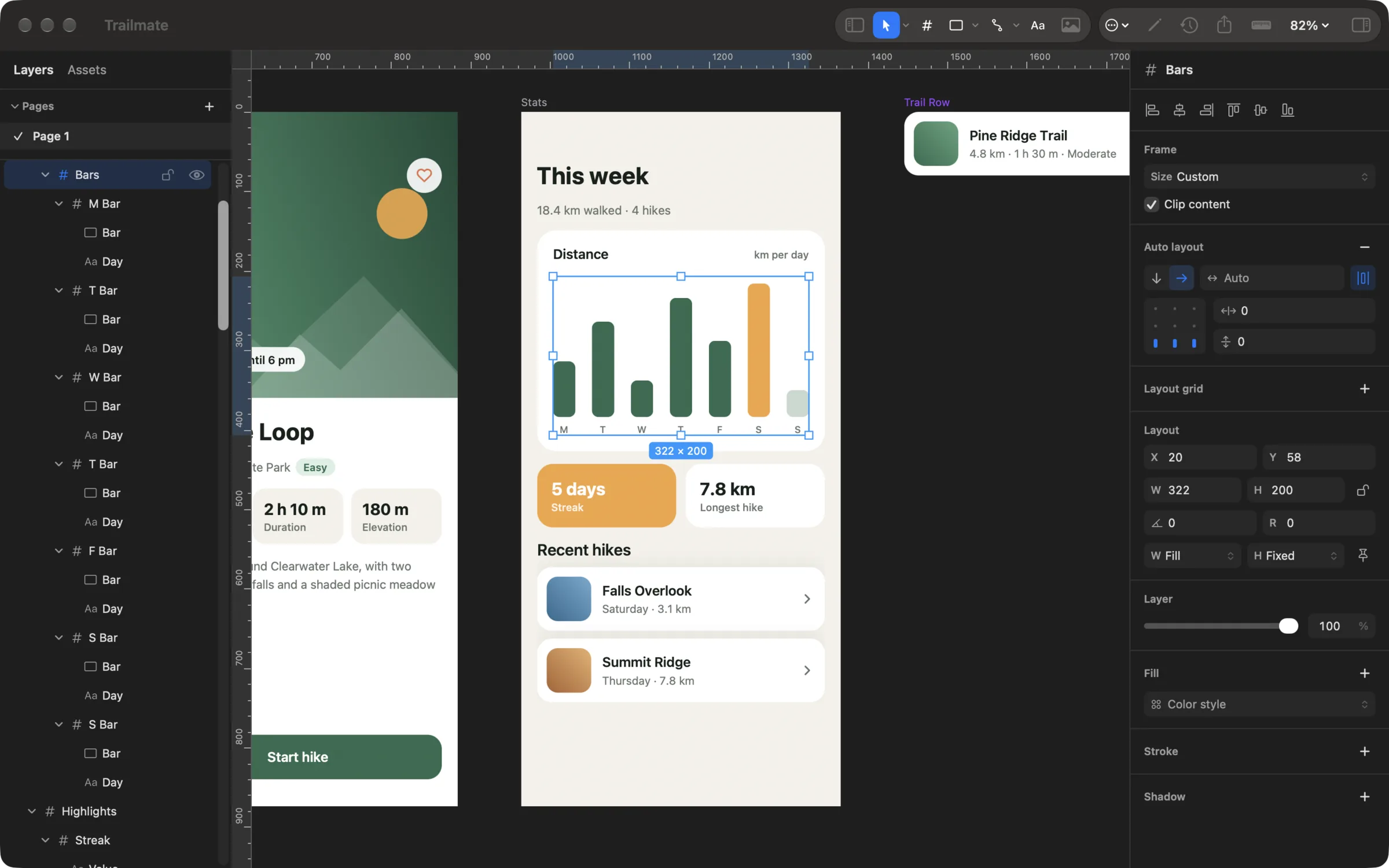
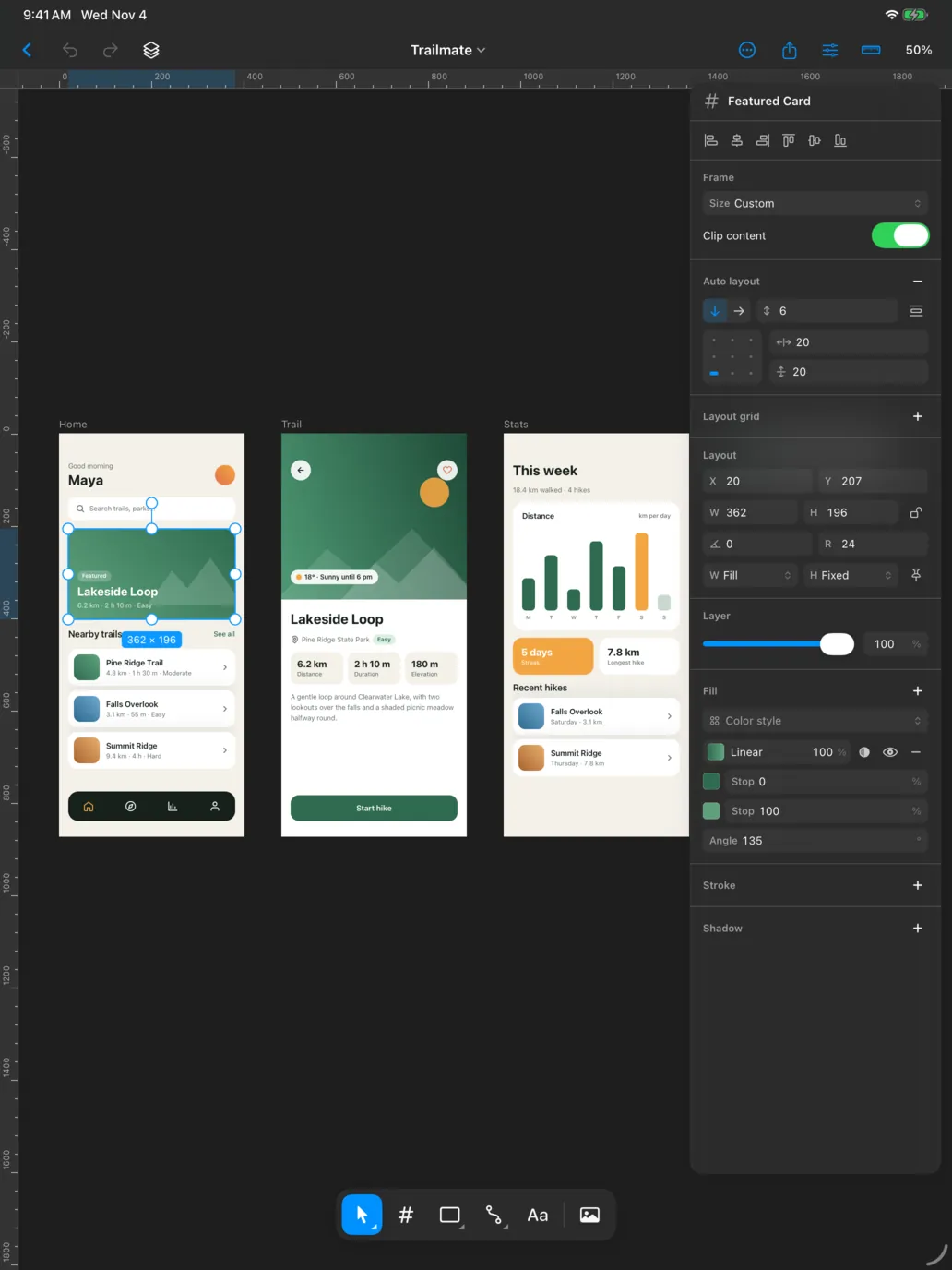
A design sits right beside your whiteboards: pages of frames and layers for laying out app screens, websites, posts, and graphics. It opens in its own window on Mac and in a touch editor on iPad, and it follows you between them.
- Frame, Rectangle, Ellipse, Polygon, Star, Line, Arrow, Pen, Pencil, and Text tools, with vector point editing
- Auto layout with gap, padding, hug, and fill, and constraints that keep layers pinned when a frame resizes
- Components with instances, plus color and text styles that keep a design consistent as it grows
- Union, Subtract, Intersect, Exclude, and masks, with rulers, guides, and layout grids for exact placement
- Export PNG at 1x, 2x, or 3x, or one vector PDF, and restore any saved version
On iPad
Built for Apple Pencil
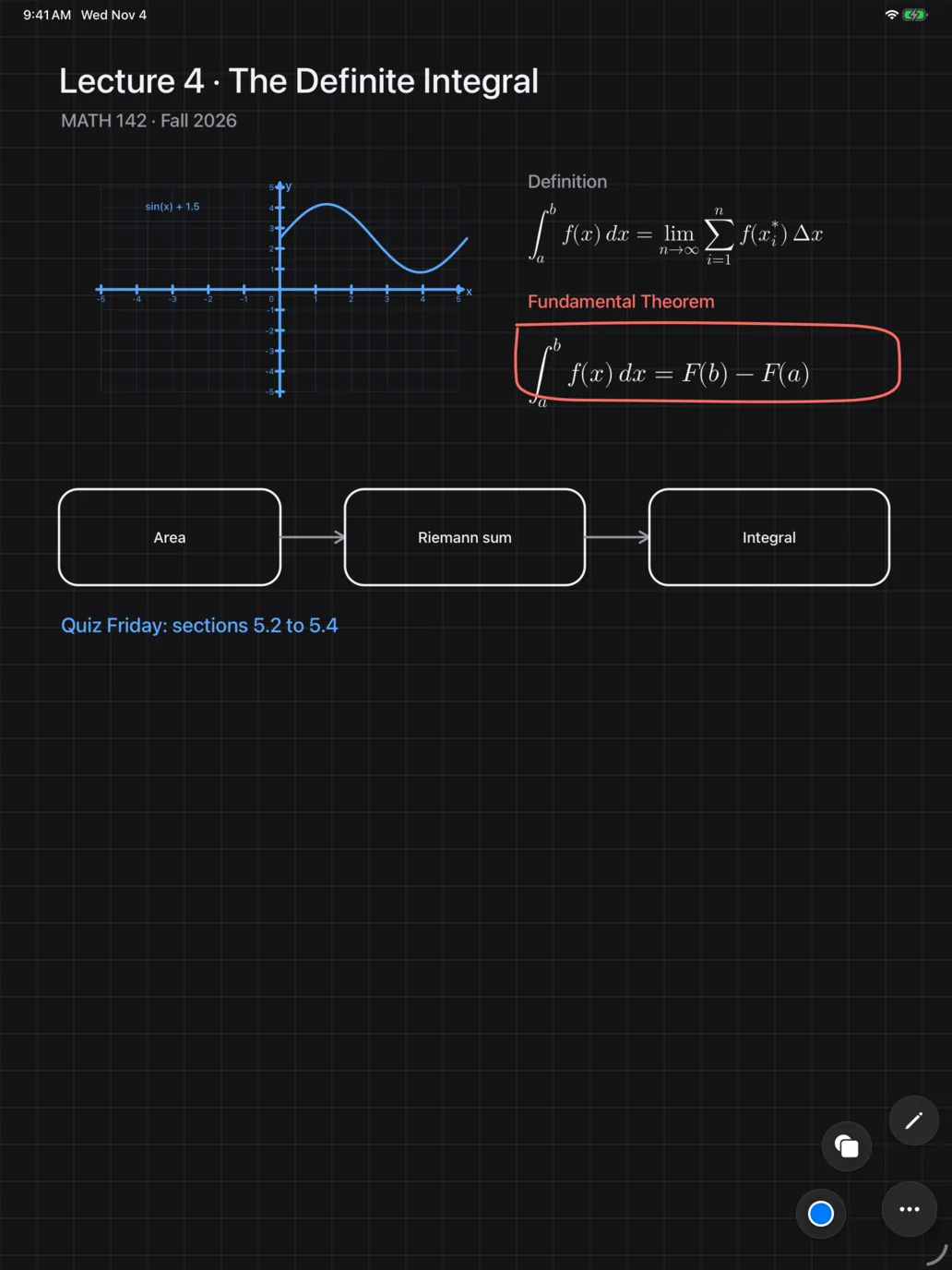
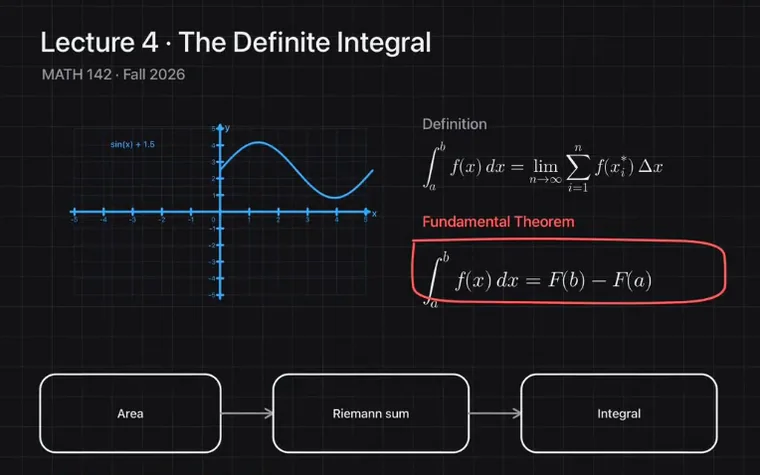
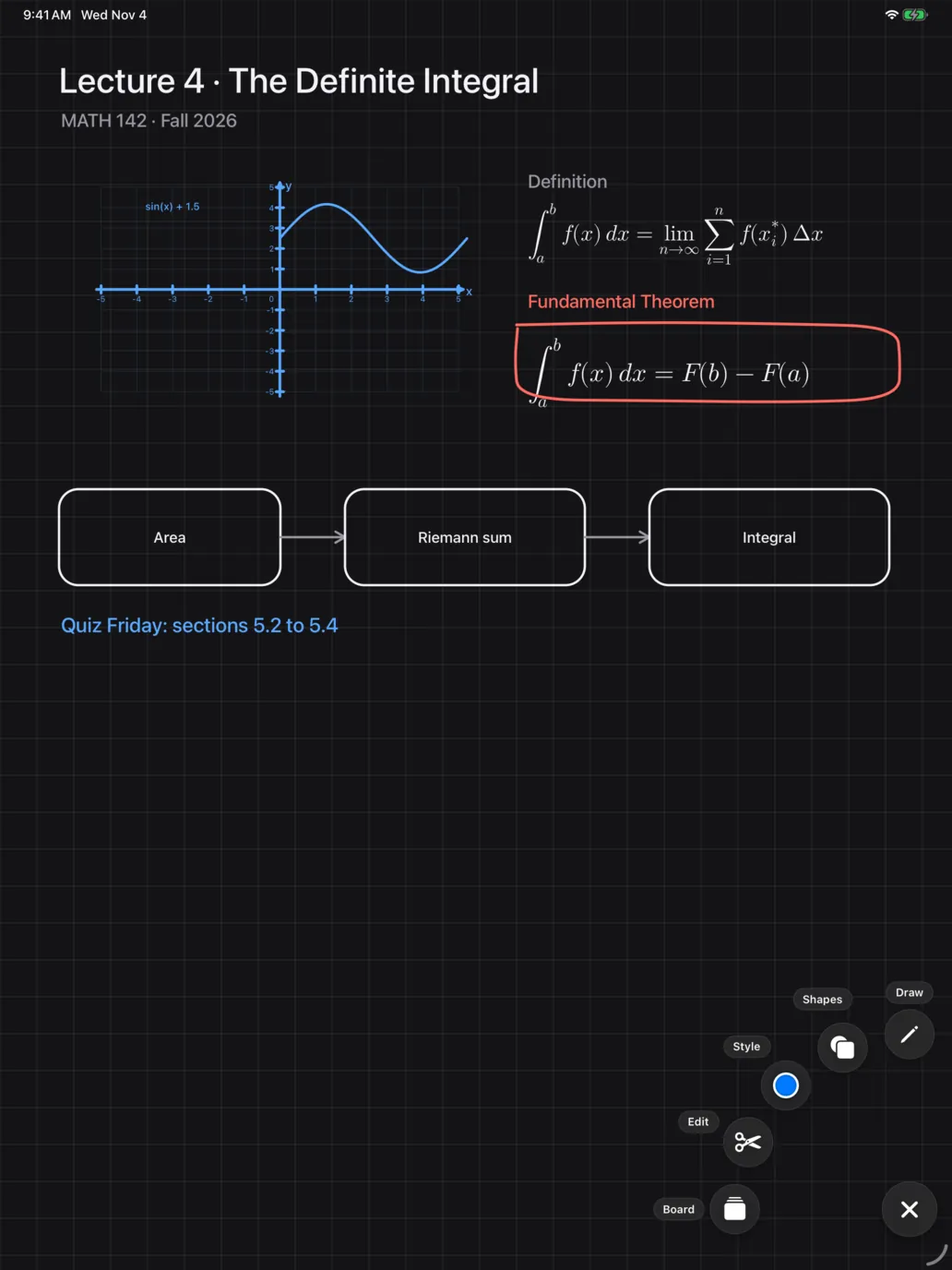
Write out a proof, drop in a diagram, or lay out a screen, then present it. Every tool lives behind one small bubble you can drag anywhere, so the canvas stays yours.
- Pen, marker, arrow, line, shapes, text, LaTeX math, image, eraser, and laser pointer, plus 100+ shapes in a searchable catalog
- Hold any tool in the bubble menu to open its settings. Each drawing tool keeps its own thickness and stroke
- Two eraser modes: Object removes whatever it touches, Normal cuts only the pen and marker ink it passes over
- Hold a finger down while the Pencil adds a shape, line, or arrow, and it works like the Shift key: squares, circles, straight lines
- Pinch to zoom, two fingers to move and rotate a selection, two-finger tap to undo, plus Pencil double-tap, squeeze, and hover
- Optional Pencil-only drawing: fingers pan and select, the Pencil draws
Live sync and iCloud
Draw on iPad, Watch It on Your Mac
With a window open on your Mac, what you draw or move on your iPad appears as it happens. Your Mac opens the same board or design and follows its page, pan, and zoom, so recording your Mac's screen records the drawing.
- Strokes while the pen is down, moves, whole boards and designs, shown live
- A direct, encrypted connection between devices on the same Apple Account, with no server and no pairing
- iCloud keeps boards, designs, scenes, and history the same on every device, including devices that are away
- Changed something on both devices? The other version is saved, so nothing is lost
- Stored in your private iCloud database, with no account to create. On by default, and you can turn it off in Settings
On Mac
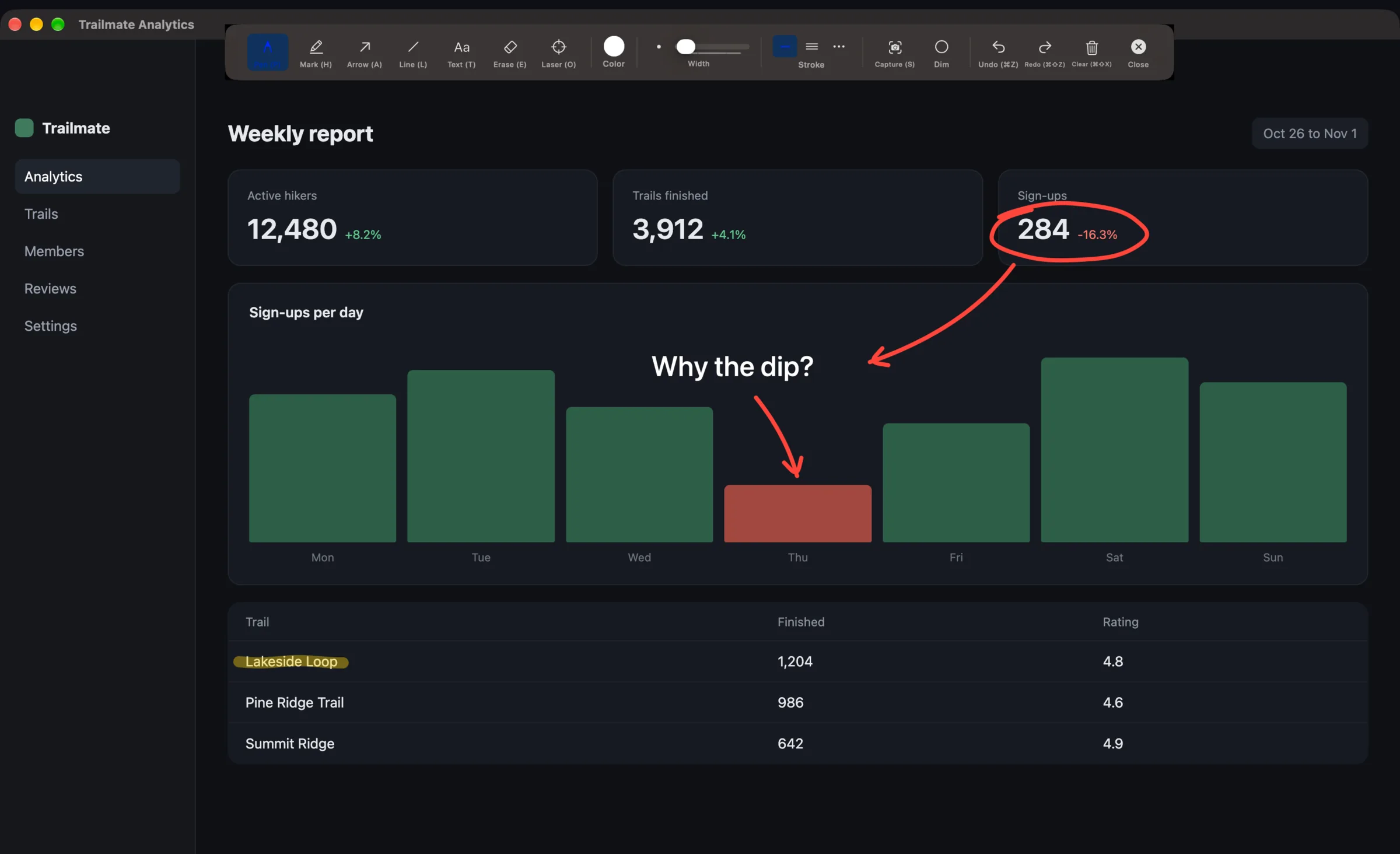
Draw Over Anything
Activate the overlay and draw directly on top of any app, window, or your entire desktop. Whether you are in a meeting, reviewing a design, or recording a tutorial, your annotations sit right on top of whatever you are looking at.
- 12 tools: pen, highlighter, arrow, line, shape, text, formula, image, eraser, laser pointer, select, and hand
- 135 built-in shapes, from basic rectangles to circuit diagrams
- Straight, curved, and elbow arrows with smart routing that snap to shape anchors
- 11-color palette with stroke width, dashed and dotted lines, fill modes, and a separate fill color
On Mac
Capture, Annotate, Share
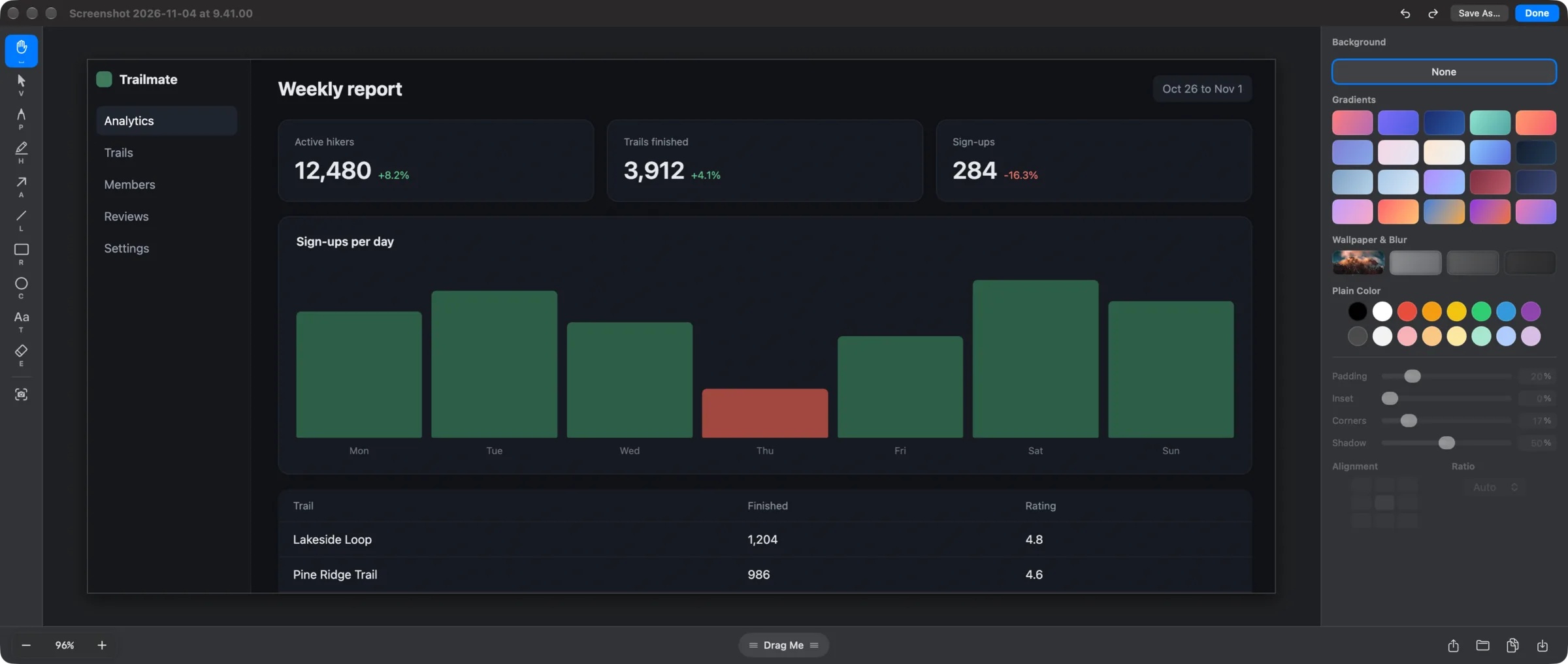
Capture a region with the crosshair, click a highlighted window, or grab the whole screen. Every capture is saved automatically and lands in a quick-access tray in the corner of your screen.
- Area, fullscreen, window, and previous-area capture, with global hotkeys you choose
- Quick-access tray: copy, save, pin, drag out, or double-click to annotate
- A dedicated editor with annotation tools and backdrops: gradients, wallpaper, blur, corners, and shadow
- Capture history, automatic cleanup, and a Screenshots settings pane
Mac and iPad
A Real Whiteboard Workspace
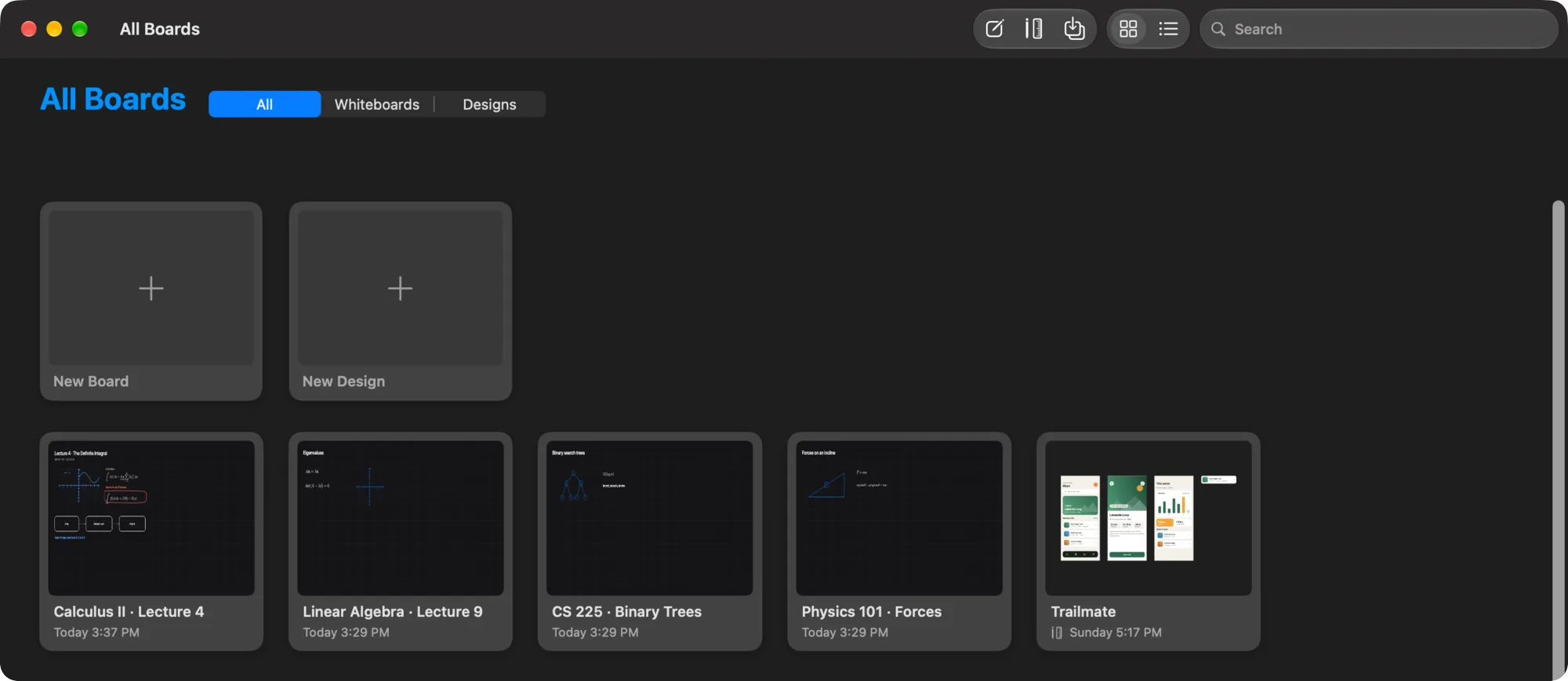
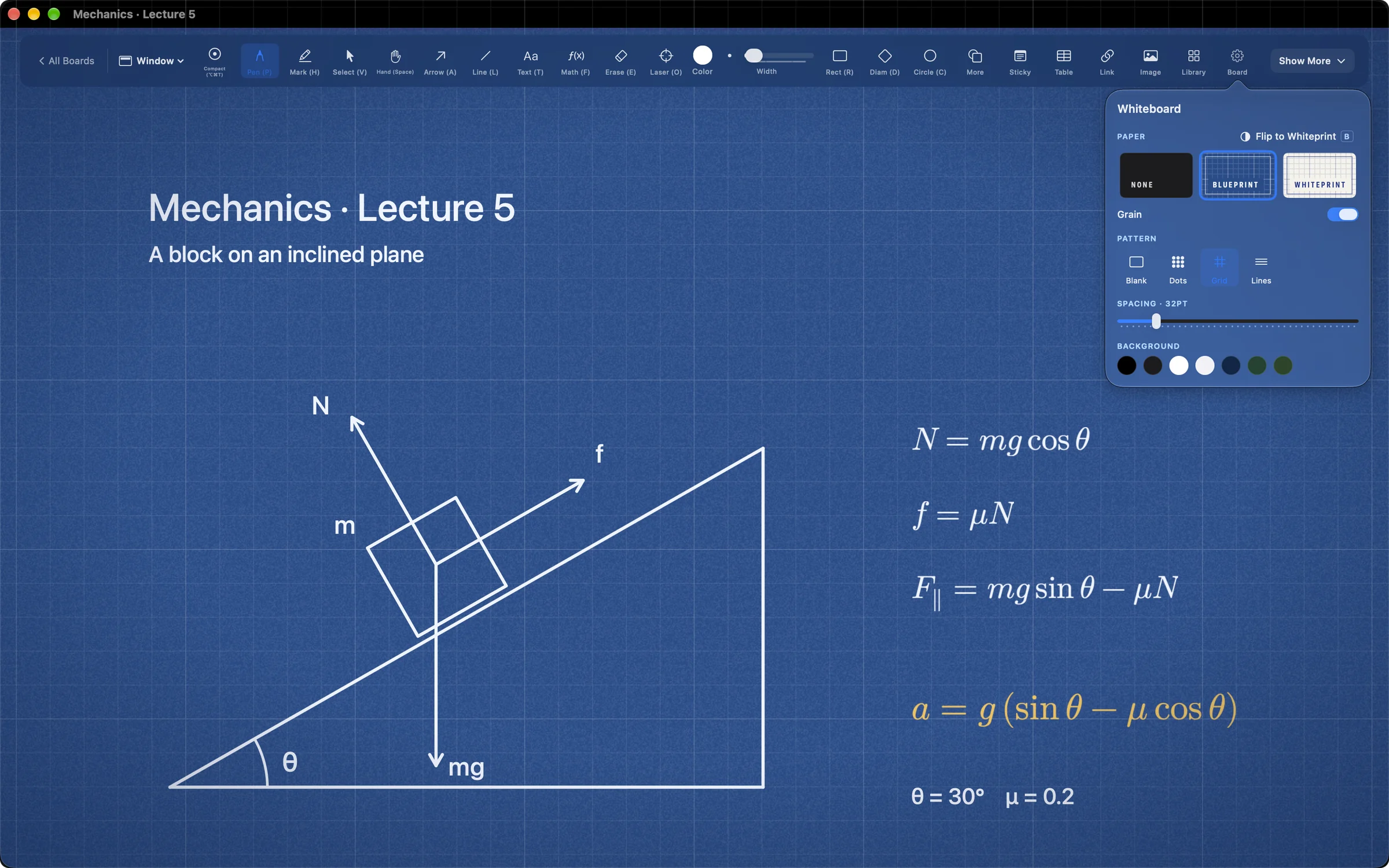
Start from the All Boards gallery, keep several boards open, clean up layouts quickly, and roll back through snapshots when you need to. Saved .screenannotation files import from the gallery and reopen as normal boards.
- Draw on Blueprint or Whiteprint paper with real grain, and flip between them while your ink follows
- An infinite canvas with Blank, Dots, Grid, and Lines patterns, fullscreen or in a window
- Align, distribute, and lay out diagrams automatically while connected arrows stay attached
- Sticky notes, editable tables, link preview cards, and images
- Manual and automatic snapshots let you restore an earlier state or duplicate it as a new board
On Mac
AI Agents Draw and Build While You Watch
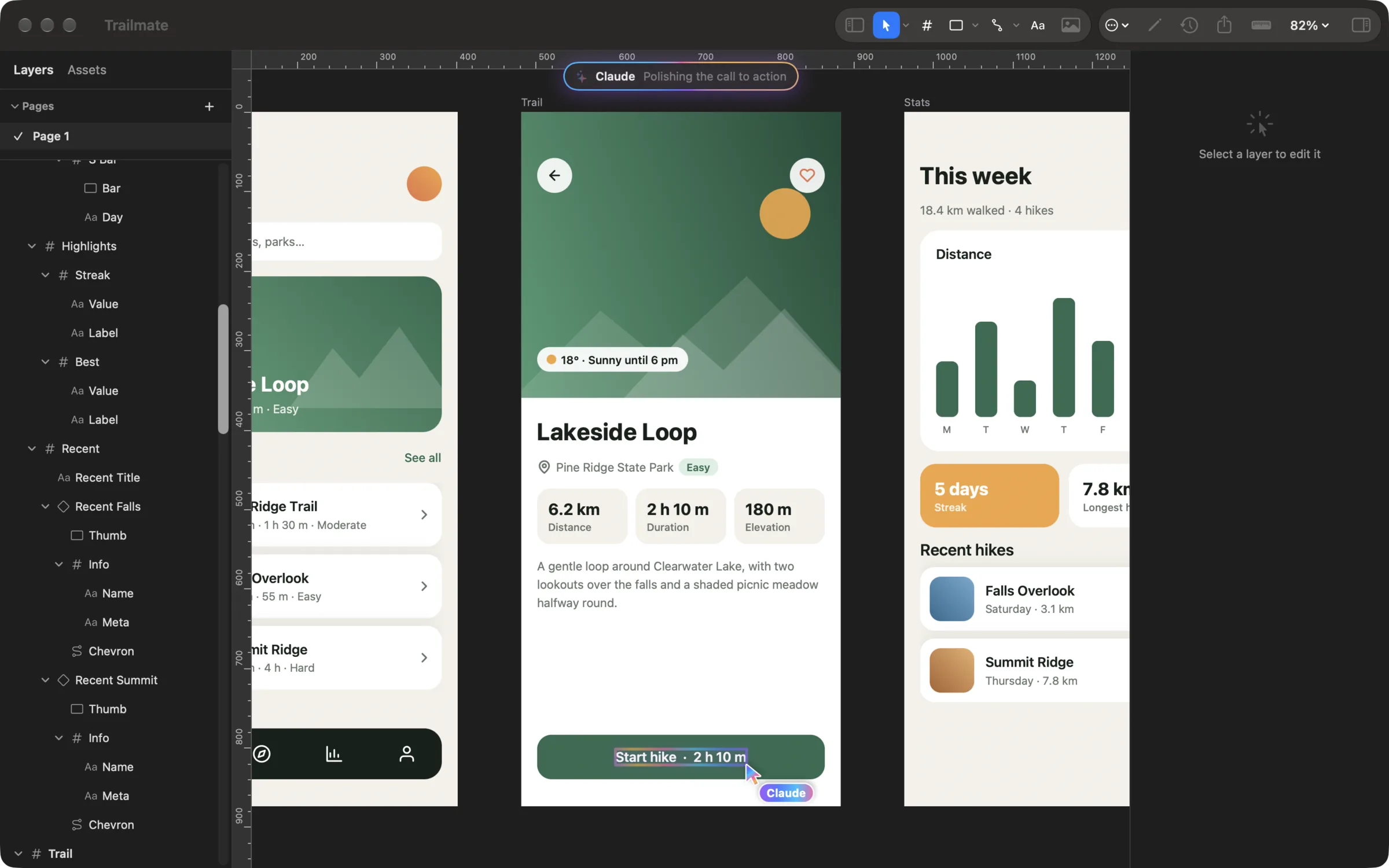
Connect Claude Code, Claude Desktop, Codex, or another MCP client to the local server on your Mac, then tell it what you want. The agent works in your canvas, and each call is one undo step.
- Generate diagrams from nodes and edges or Mermaid, laid out and routed automatically
- Draw shapes, arrows, formulas, text, and academic objects, on a board or right on your screen
- Build and edit designs: frames, auto layout, components, styles, and exports, with a named cursor showing what it changes
- Create and manage boards, scenes, presentations, and snapshots
- The server only listens on your own Mac, so nothing is exposed to your network
Mac and iPad
Present Boards Like Scenes
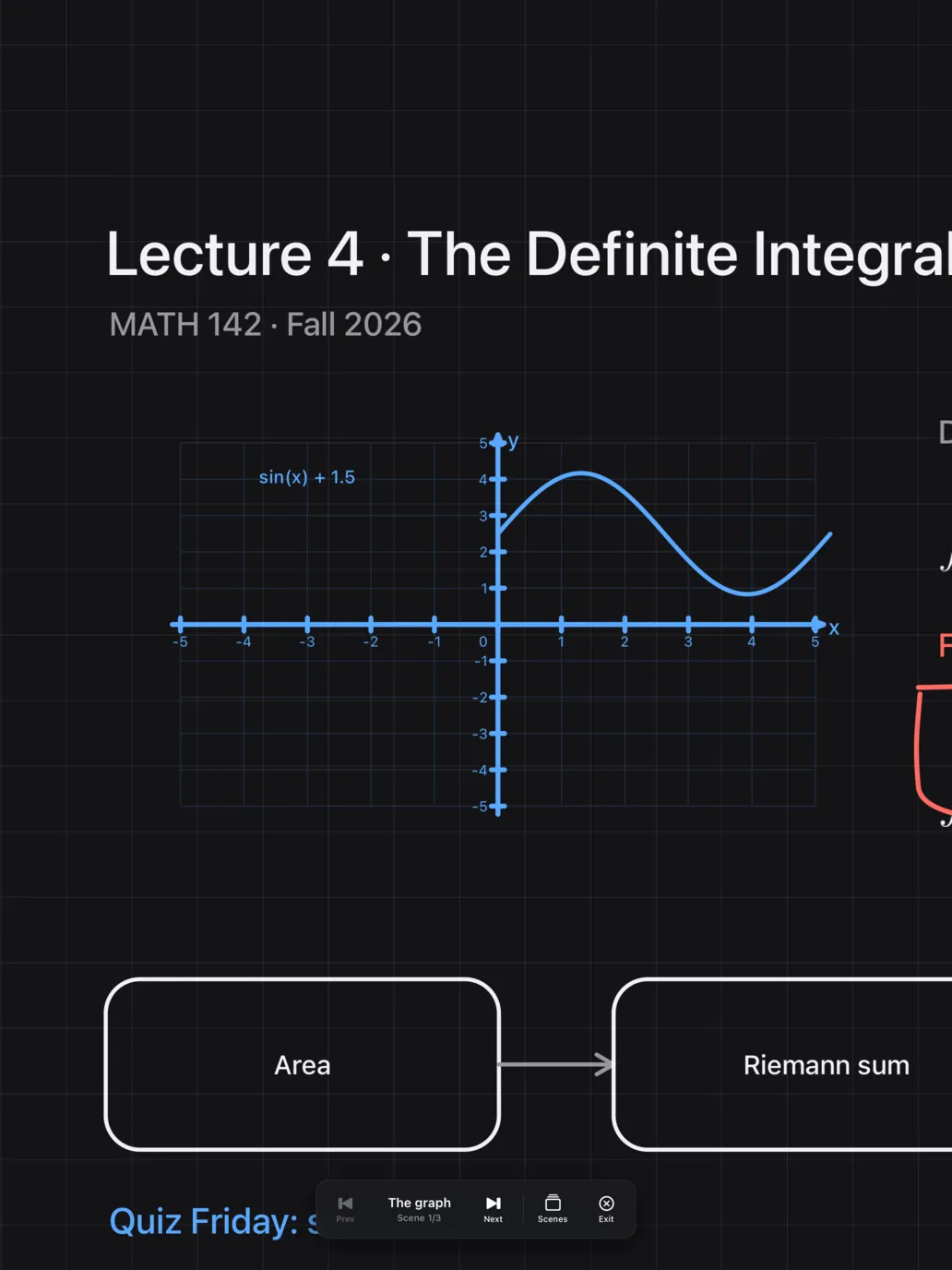
Recording a tutorial or presenting live? Turn a board into a scene-based presentation, then step through it with your audience. On Mac, layer cursor, spotlight, and keystroke tools on top so people always know where to look.
- Create scenes from the current view or current selection, then move through them with the scene bar or keyboard
- Manage, reorder, and update scenes, with animated transitions including Fade and Dip to Black
- On Mac, cursor highlight, spotlight, and keystroke display support live demos and on-screen teaching
- On iPad, present full screen on light or dark boards and glide between scenes
STEM Teaching
Math, Physics, and Science Shapes
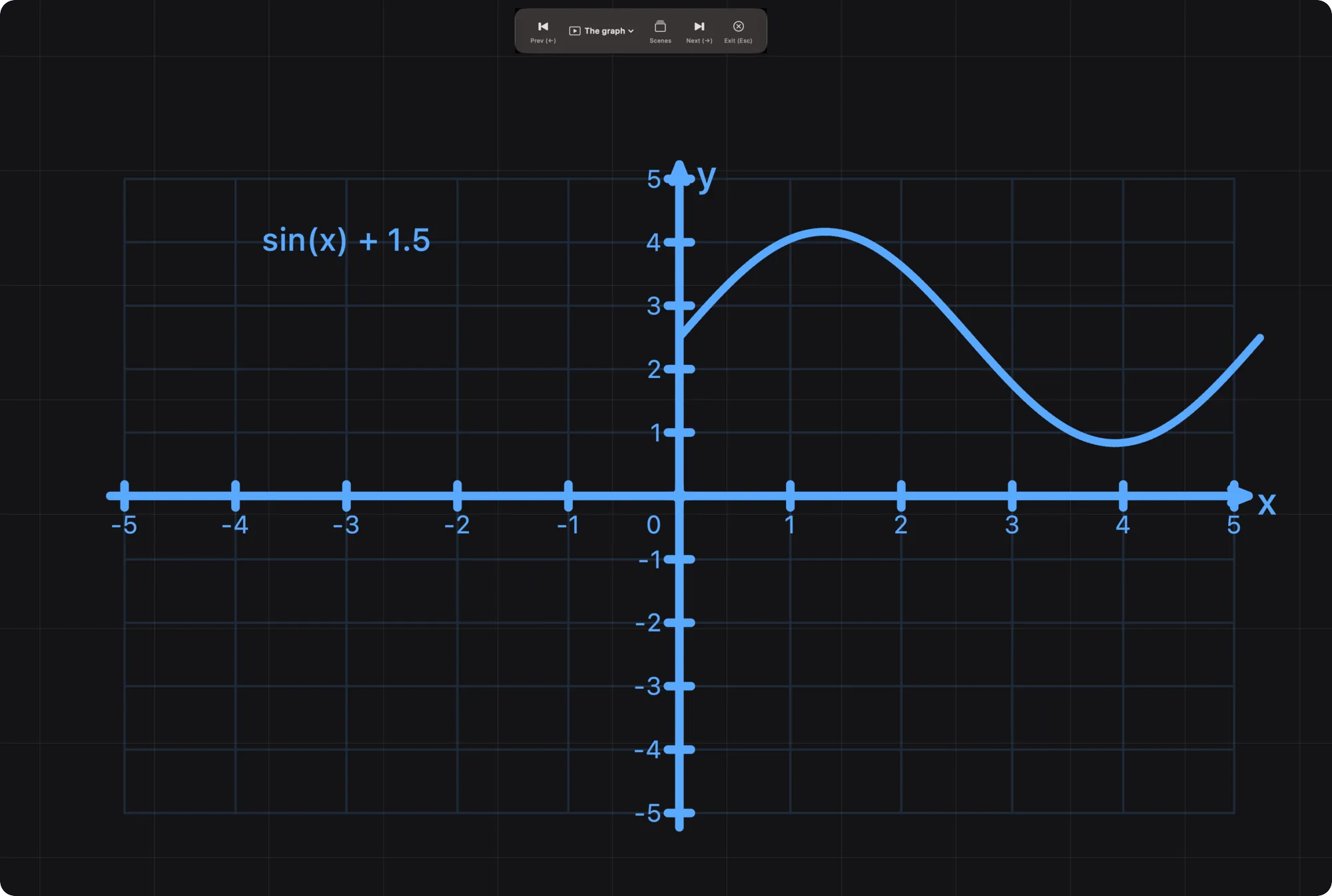
Shapes built for math, physics, electronics, and science. Place a coordinate plane, wire up a circuit, or set up lab equipment, then configure axis ranges, labels, and expressions in a floating inspector.
- Math shapes like coordinate planes, function plots, fraction bars, matrices, and vectors
- Electronics components including diodes, transistors, op-amps, ICs, and transformers
- Expression evaluation: fraction bars compute results, and matrices handle operations like determinant and inverse
- LaTeX formulas with live preview, and function plotting that handles discontinuities
A Shape for Every Diagram
135 built-in shapes on Mac and a searchable catalog of 100+ on iPad. Whether you are teaching, building software, or presenting ideas, there is a shape for it.
Basic
Flowchart
Arrows
Geometry
Architecture
Math
Physics
Electronics
Computer Science
Science
Basic & Flowchart
Rectangles, circles, stars, speech bubbles, pills, cylinders, clouds, and everything you need for wireframes and process diagrams.
Architecture & Computer Science
Servers, databases, browsers, APIs, queues, firewalls, and more. Plus class diagrams, binary trees, linked lists, and graph nodes.
Math, Physics & Electronics
Coordinate planes, function plots, fraction bars, matrices, vectors, and protractors, with force diagrams and circuit components.
Science & Lab Equipment
Beakers, flasks, test tubes, burners, microscopes, rulers, and observation panels for science instruction and lab documentation.
Keyboard-First on Mac
Every tool is one key press away. No modifier keys, no menus to dig through.
V
Select
P
Pen
H
Highlighter
A
Arrow
L
Line
R
Rectangle
D
Diamond
C
Circle
T
Text
F
Formula
E
Eraser
O
Laser
I
Image
S
Capture
B
Flip Paper
W
Whiteboard
Ready to draw?
Download Lumary Canvas for Mac and iPad, and try each free for 14 days. One purchase then covers both, with no subscription. No analytics in the app, no account required, and your work stays on your devices and in your own iCloud.